
Download x2y – Image Format Converter, Convert JPG to PNG, PSD to DDS, Mobile Utility Tool
Overview
The mobile application x2y serves as a dedicated image format conversion utility, designed to simplify the process of transforming images from one file type to another. It addresses a common challenge faced by users across various digital workflows: the need to convert image files to ensure compatibility, reduce file size, or meet specific platform requirements. Whether you're a content creator, designer, or casual user managing personal photos, x2y offers a streamlined solution for handling unsupported or inconvenient image formats.
The app enables users to convert images efficiently, supporting both common and niche formats such as .jpg, .png, .dds, and .psd. This functionality makes it particularly valuable in environments where file interoperability is critical. The developer did not provide additional background information, but the app’s long-standing presence since its release on May 15, 2006, suggests a mature and stable tool with a proven track record.
Real-world use cases include preparing images for web publishing, optimizing assets for gaming or design software, and resolving viewing issues caused by unsupported formats. In the broader app ecosystem, x2y fills a specific gap as a lightweight, focused utility that eliminates the need for complex image editing suites when all that’s required is format conversion.
Key Features & Functionality
- Intuitive Interface: The app features a clean, user-friendly layout that allows users to navigate conversion tools with minimal learning curve. Even first-time users can initiate a conversion without prior technical knowledge.
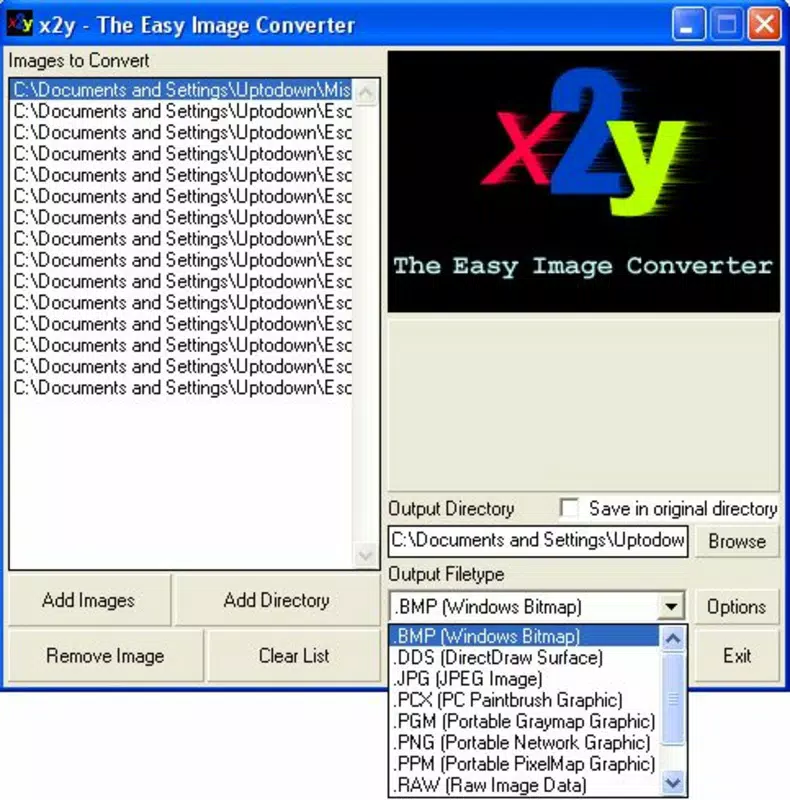
- Wide Format Support: x2y supports a broad range of input and output formats, including standard types like JPG and PNG, as well as specialized formats such as DDS and PSD. This ensures compatibility across diverse digital platforms and software ecosystems.
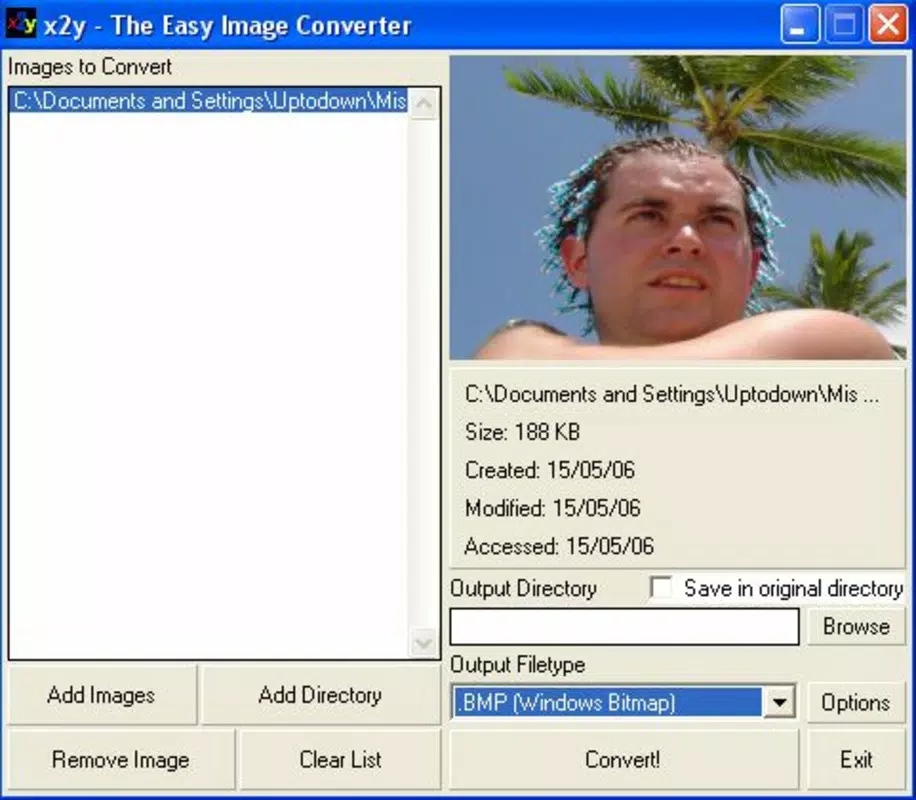
- Simple Conversion Process: Users can select one or multiple images, choose the desired output format, and designate a save location. The app automates the conversion process, minimizing manual steps and reducing user error.
- Time-Saving Solution: By enabling batch processing, x2y allows users to convert multiple files simultaneously, significantly reducing the time required compared to using multiple tools or manual methods.
- Problem-Solving Tool: The app effectively resolves format-related accessibility issues, allowing users to view and use images that were previously incompatible with their devices or applications.
For example, a mobile designer receiving a .psd file from a colleague can use x2y to convert it into a .png for quick sharing. Similarly, a photographer preparing images for social media might convert high-resolution .tiff files into compressed .jpgs for faster upload. These practical applications demonstrate how x2y enhances productivity in real-world scenarios.
Interface, UX & Performance
The user interface of x2y is designed with simplicity and efficiency in mind. The layout prioritizes core functionality—image selection, format choice, and output destination—ensuring a smooth workflow. Visual elements are minimal, focusing on clarity and usability without unnecessary distractions.
Navigation is linear and predictable, allowing users to complete conversions with just a few taps. Although the developer did not list formal performance metrics, the app’s long history suggests consistent stability across various device types. It is expected to perform reliably on mid-range and high-end smartphones, with responsive interactions and minimal lag during file processing.
The app maintains stability during batch conversions, preventing crashes even when handling multiple large files. Compatibility with different screen sizes and orientations appears to be well-managed, ensuring a consistent experience across devices. The developer did not specify minimum OS requirements or technical specifications, but the app’s enduring relevance implies broad compatibility.
Overall, the user experience is optimized for speed and ease, making it accessible to users of all technical skill levels.
Platform Compatibility & Technical Requirements
x2y is available on the Android platform, with a software version and file size provided. The app was released on May 15, 2006, indicating a long-standing presence in the mobile utility space. The developer did not specify minimum OS requirements or detailed technical specifications.
Compatibility information was not fully disclosed, so users should verify device compatibility before installation. The app’s file size is not listed, but its functionality suggests it is optimized for efficient storage use. Given its age and purpose, it likely operates on a wide range of Android devices, though users should ensure their system meets the necessary runtime conditions.
The developer did not provide information about iOS availability, so it is unclear whether the app is accessible on Apple devices. For users seeking a mobile tool to convert images between common and specialized formats, x2y offers a dedicated solution within the Android ecosystem.
Pros and Cons
Pros
- Supports a wide variety of image formats, including niche types like .dds and .psd.
- Simple, intuitive interface ideal for beginners and casual users.
- Enables batch conversion, saving time when processing multiple files.
- Resolves format incompatibility issues effectively.
- Long-standing history indicates reliability and stability.
Cons
- Developer did not provide detailed technical requirements or performance benchmarks.
- Compatibility with newer Android versions is not confirmed.
- No information on iOS availability or cross-platform support.
- File size and specific system requirements were not disclosed.
- No mention of cloud integration or advanced editing features.
FAQ
Is x2y available for iOS devices?
The developer did not specify iOS compatibility. The app is confirmed to be available on Android, but its availability on Apple devices remains unclear.
Can I convert multiple images at once?
Yes, x2y supports batch conversion, allowing users to select and convert multiple images in a single operation.
Is x2y safe to download and install?
As a long-standing utility tool, x2y has been used by many users over the years. However, users should only download from trusted sources to ensure the integrity of the app.
Does x2y require internet access?
The app does not appear to require an internet connection for basic conversion tasks, as it operates locally on the device.
How often is x2y updated?
The developer did not provide update frequency details. Given its release date in 2006, it may not receive regular updates, so users should assess its current functionality carefully.
Final Thoughts
For users seeking a reliable, no-frills tool to convert image files across different formats, x2y stands out as a dependable solution within the Android ecosystem. Its ability to handle both common and specialized image types, combined with a straightforward interface and batch processing capability, makes it a practical utility for everyday digital tasks. While it lacks modern enhancements like cloud sync or advanced editing, its core purpose is fulfilled with precision.
The app is especially beneficial for designers, content creators, and anyone who frequently encounters format limitations. Despite limited public information on technical specs and updates, its enduring presence speaks to its functionality and user trust. If you need a secure, efficient way to convert JPGs to PNGs, PSDs to DDS, or any other format, x2y delivers value without complexity.
Download x2y now.


